January 17, 2007
3.1 |
Outline of Topics | ||
| Perception: The basics and why it matters | |||
| Why perception is difficult: Some key difficulties | |||
| Vision examples | |||
| Vision: The difficult parts | |||
| Some techniques from nature | |||
| What we are always trying to do: Segmentation | |||
| Basic techniques | |||
| Thresholding | |||
| Gaussian filter | |||
| Model-based object recognition | |||
| Further readings and excercises | |||
3.2 |
Perception: Why it is difficult and why it matters | |||||||||||
| Perceiving the world | If you want to act in the world you need to sense the things that matter. Hence, perception. Sensor types and perceptual data processing is organized along the following main lines (natural intelligence).
|
|||||||||||
| Perceiving is a necessary precursor to intelligence | You cannot behave intelligently if you don't perceive anything, because if you don't perceive you don't have any information, and intelligent behavior is always defined in light of present information. Thus, another way of labeling perception is to say that it is the information that intelligence operates on. |
|||||||||||
| Representation (táknun): Key question | Key question: How is the world represented in systems that can perceive? | |||||||||||
| Perceptual representation depends on the action(s) you want the agent to perform | In reactive systems the system connects sensors fairly directly to the actuators (muscles, motors) - hence the representation of the perceptual information has to be nicely represented to guide the action. Example: If you want your robotic hexapod to avoid obstacles, perhaps it is sufficient to represent the distance from your head to the closest object in front of you; if it is closer than some threshold, turn. Here, obstacles are represented as distances, d, and possibly an angle, a; the creature does not need anything else to avoid hitting them. |
|||||||||||
| Representation of visual stimuli: Pixels | Mostly represented as an array of pixel values: | |||||||||||
|
||||||||||||
| 3.3 |
Why perception is difficult: Some key difficulties | |
| Noise | There is always information in your sensor data that is not relevant to your task | |
| Transformations | An agent moving about in the world: viewpoint changes and all the data with it | |
| Calibration of sensors | Are we using the full range of the sensors to collect the information needed? | |
| For vision | Calibration: Illumination can completely change the appearance of sensory data. Noise: "snow", "salt and pepper" and other artifacts may be distributed all over our data. Transformations: Viewpoint changes, object rotations, lens distortions. |
|
| For hearing | Calibration: volume levels may be incorrectly set. Noise: Background sounds can merge with the signal that the agent is trying to interpret Transformations: Echoes, filtering, more. |
|
| Resolution | High resolution of the sensed data requires lots of CPU power | |
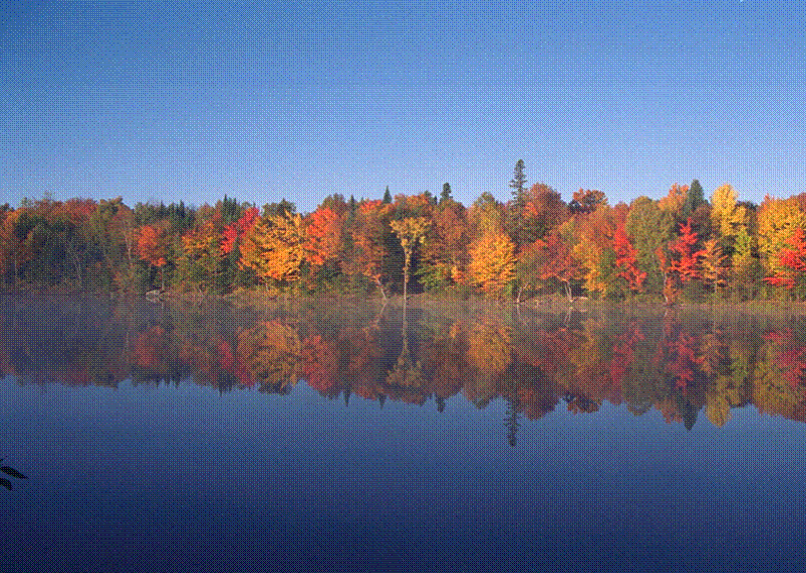
A SCENE CAPTURED BY A DIGITAL CAMERA
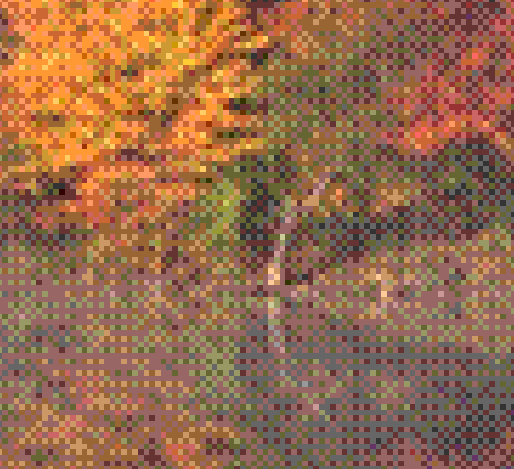
ALL PARTS OF THE IMAGE REPRESENT POTENTIALLY IMPORTANT INFORMATION;
THIS IS A 5X ZOOM-IN ON THE IMAGE ABOVE.

THIS IS A 10X ZOOM ON THE SAME IMAGE.
| 3.4 |
Vision: The difficult parts | |
| Recognizing scenes | ||
| Recognizing objects | ||
| Separating foreground from background | ||
| Separating shadows (lighting effects) from physical things | ||
| Recognizing surfaces with shading as being the same surface | ||
| Identifying scale - objects change size with distance | ||
| Identifying component arrangements (e.g. human faces) | ||
| Estimating depth | ||
| Robustness to distortions (noise, transformations, etc.) | ||
| Robustness to changes in lighting | ||
| 3.5 | Some techniques from nature | |
| Stereovision | Use images from two different viewpoints to estimate depth. Helps with:
|
|
| Shape from shading | Use the shading to infer form, and from that infer objects and foreground/background distinctions | |
| Texture gradient | Use repeating patterns to infer depth | |
| Optical illusions | Examples of artifacts stemming from the power of the human eye | |
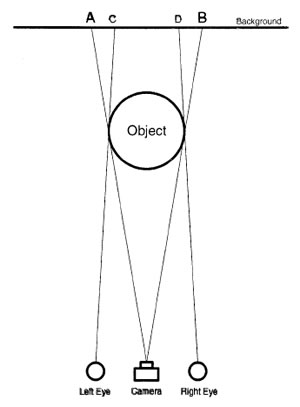
STEREOVISION
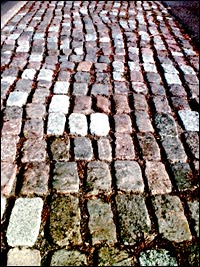
TEXTURE GRADIENT
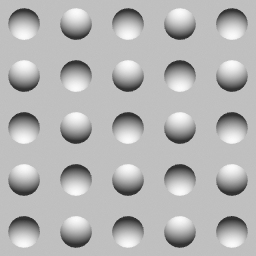
SHAPE FROM SHADING
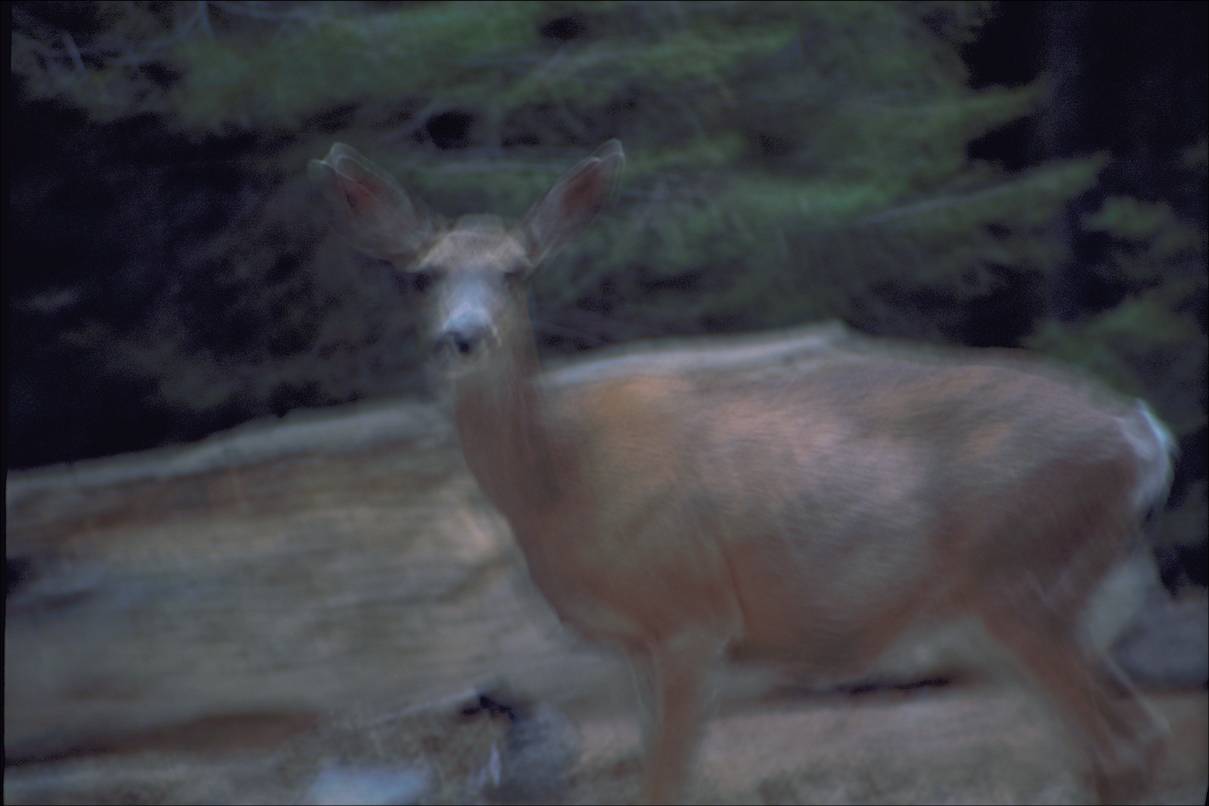
THE EFFECTS OF MOTION BLUR
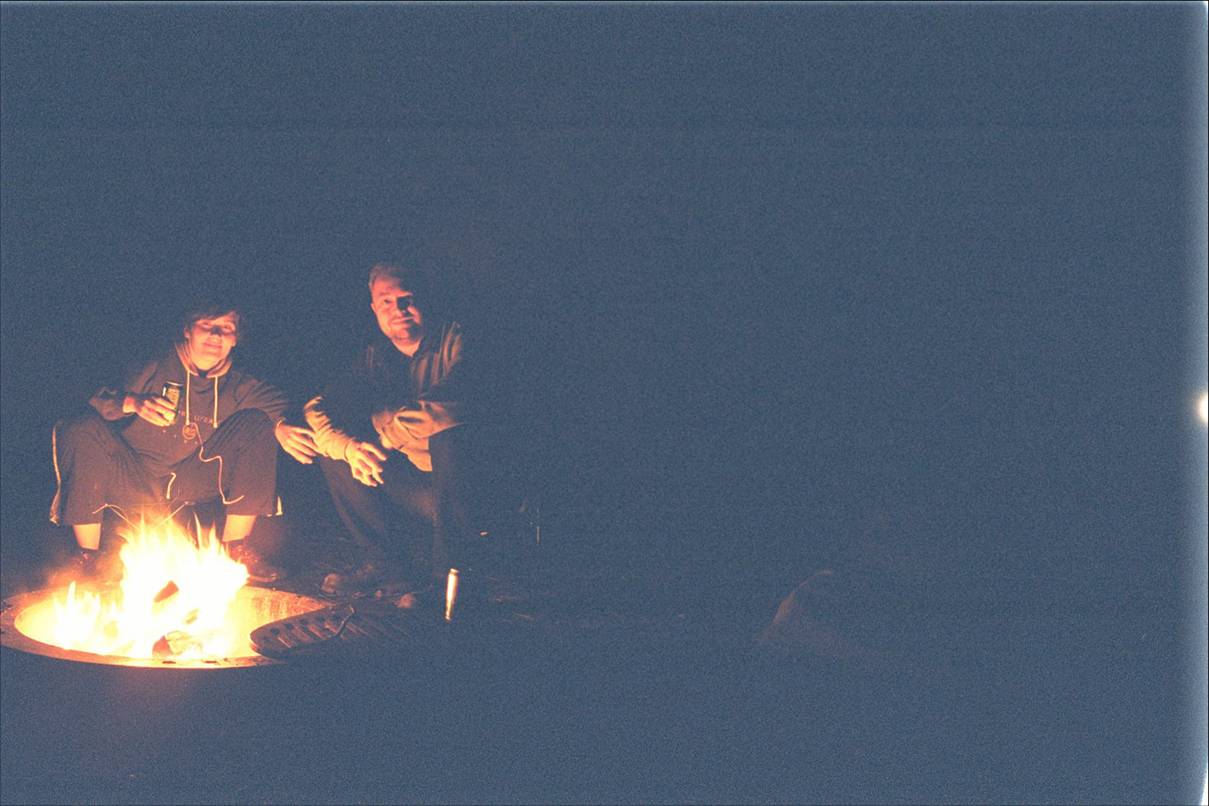
THE EFFECTS OF OVEREXTENDED LIGHT SENSITIVITY (CCD SENSOR, SHUTTER
SPEED AND APPERTURE CALIBRATED FOR THE HUMANS, WHICH WERE VERY DARK)
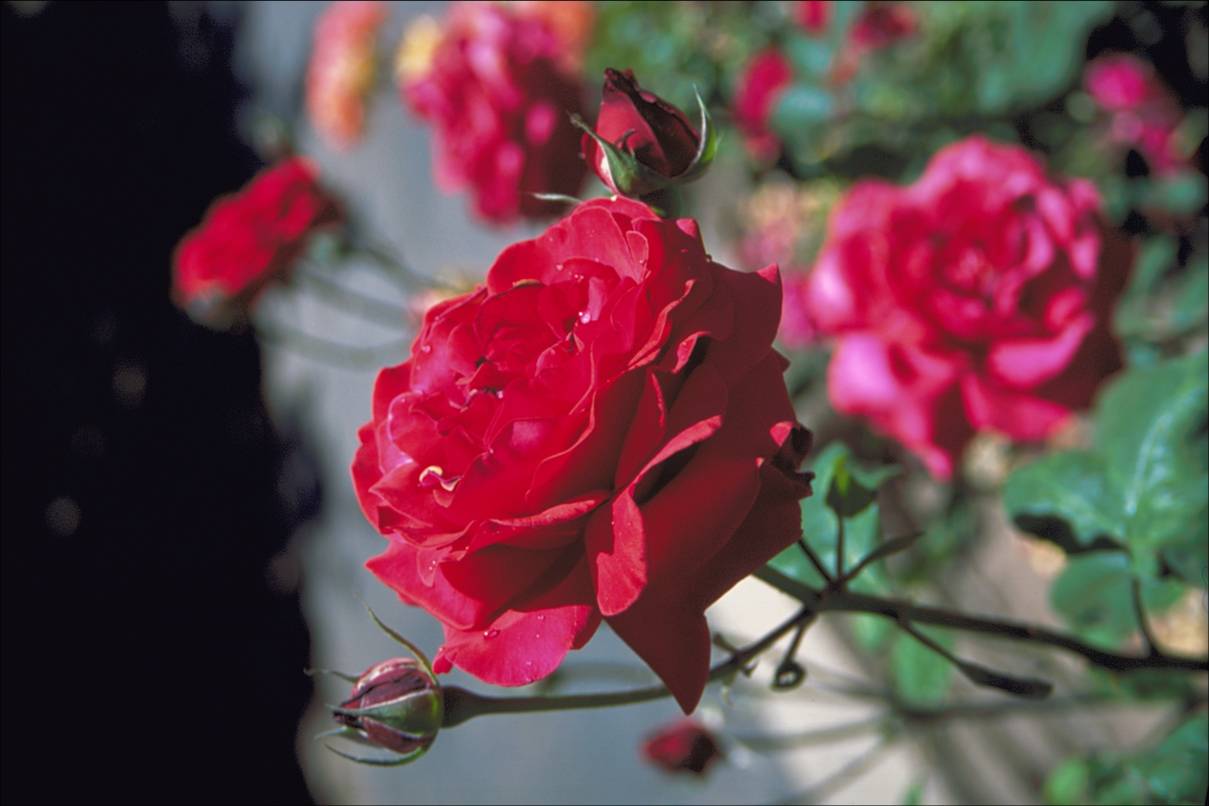
FOCUS CAN HELP BLUR UNIMPORTANT DETAILS - A GOOD AUTOFOCUS
WILL KNOW WHERE TO PLACE THE FOCUS, NEAR OR FAR.
3.6 |
What we are always trying to do: Segmentation |
|
| Segmentation | We want to identify important parts of an image and process those further | |
| 3.7 |
Thresholding | |
| What it is | A filter that removes brightness of certain pixels | |
| How it works | THRESH: [[IF (P0 > thresh) A0 = 1; else A0 = 0;]]
(double bracket means two loops, one for each dimension; P0 is the current pixel; apply to every pixel in image) |
|
| When to use it | For helping find edges; for separating dark patches from light patches; for separating elements of certain colors | |
| 3.7 |
Gaussian filter | |||||||||||||||||||||||
| What it is | A filter for removing high spatial frequencies - i.e. a low-pass filter | |||||||||||||||||||||||
| How it works |
|
|||||||||||||||||||||||
| Apply matrix G to every pixel in the image: | ||||||||||||||||||||||||
CONVOLV: [[ Q0 = P0*h0 + P1 * h1 + ... P8*h8;
]] |
||||||||||||||||||||||||
| What it does |
|
|||||||||||||||||||||||
| When to use it | If there is a lot of dead pixels in your CCD; for getting rid of tiny specs of dust; for smoothing out small textures | |||||||||||||||||||||||
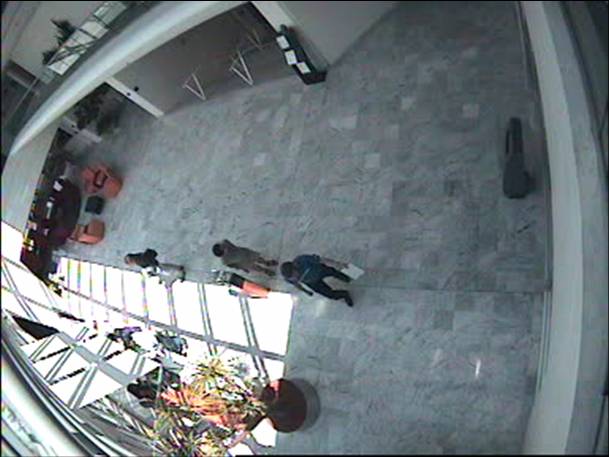
AN IMAGE FROM A VIDEO CAMERA MOUNTED IN THE CEILING
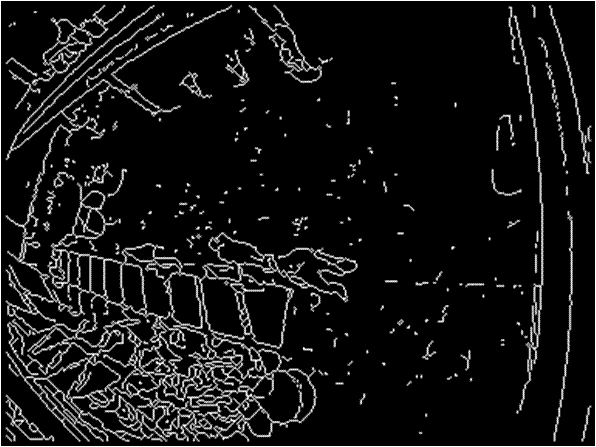 |
THE IMAGE PROCESSED WITH THE SUSAN EDGE DETECTOR FILTER
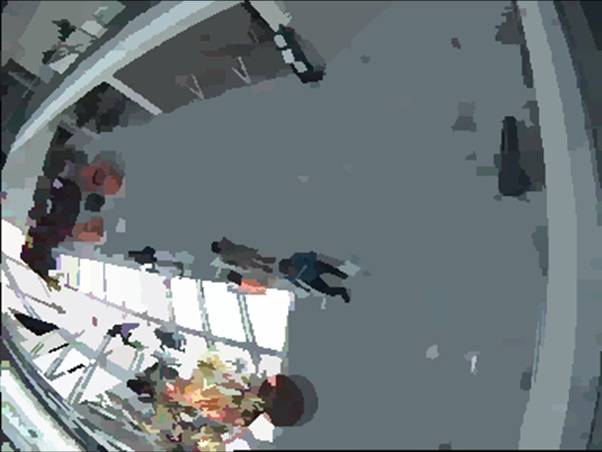
THE SAME IMAGE FILTERED THROUGH A GAUSIAN FILTER, THEN PROCESSED
WITH THE EDISON EDGE DETECTOR
AND LASTLY COLORIZED BASED ON THE RESULT OF THE TWO OPERATIONS
| 3.9 |
Model-based perception | |
| What it is | The use of geometric invariants that can be matched onto a 2-D or 3-D image | |
| When to use it | For object recognition | |
| How it works | 3-D models of objects are represented geometrically; input image is processed as much as possible to match that representation; models are matched to features detected in the input image. | |
| 3.10 |
Resources and excercises | |
| Gaussian smooting | About Gaussian smoothing Excercise applet | |
| Median filter | About median filters Excercise applet | |
| Mean filter | About mean filters Excercise applet | |
| Thresholding | About thresholding Excercise applet | |
| More material (advanced studies) | ||
| HIPR - Hypermedia Image Processing Reference | http://homepages.inf.ed.ac.uk/rbf/HIPR2/hipr_top.htm | |